GPS Maps Navigation Directions
Quix Technologies LLCMaps & Navigation
4.3105.00 Reviews
- Version
- 1.69
- Installs
- 500.00K
- Age Rating
- Everyone
Screenshots
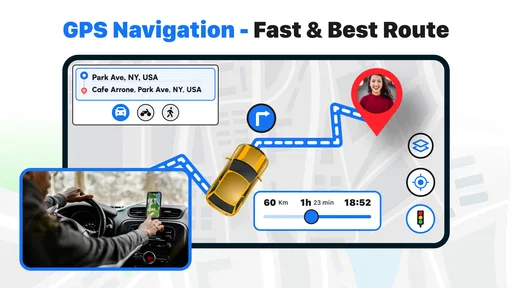
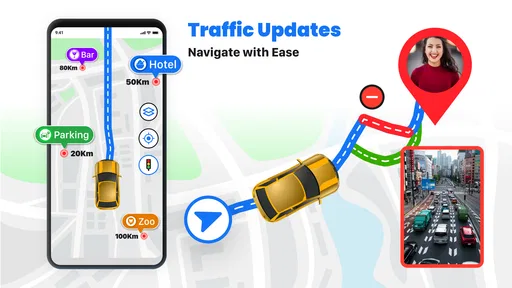
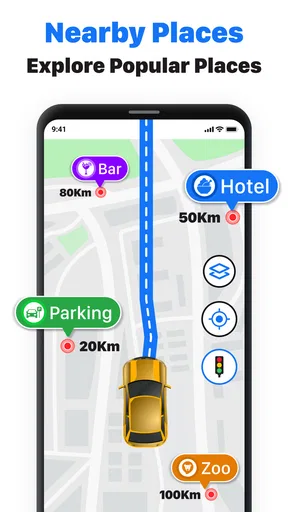
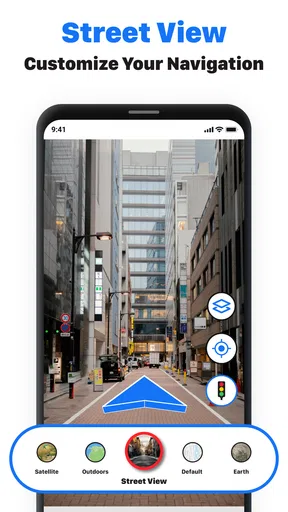
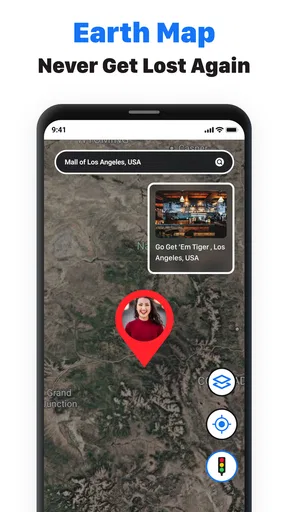
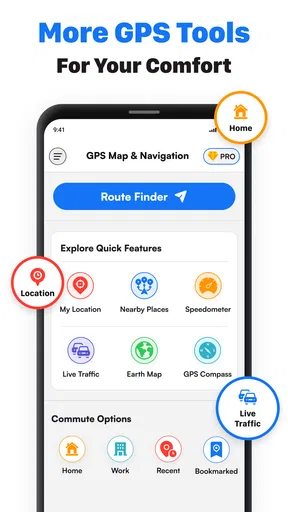
Our Review of GPS Maps Navigation Directions
 Analysis by Appyee
I spend a lot of time testing navigation apps in the situations where a map is more than a convenient screen: leaving home in a hurry, checking an unfamiliar turn, and trying to keep my attention on the road instead of constantly touching the phone. GPS Maps Navigation Directions is a free maps and navigation app from Quix Technologies LLC that focuses on GPS guidance, voice navigation, and driving directions. Its purpose is easy to understand, but my experience with an app like this depends less on the headline promise and more on how clearly it lets me make choices before and during a trip.
The app has a 4.3 average from around 4.5 thousand ratings and has passed 500 thousand installs, which suggests that it has found a meaningful audience without making popularity the only reason to try it. It is rated for Everyone, runs on Android 7.0 and newer, and its current version is 1.69. The basic download is free, while optional purchases range from $4.99 to $59.99 per item. That combination makes it approachable for a quick test, but it also means I would look carefully at what is available without paying before relying on it for regular travel.
What using the navigation app feels like in everyday travel
My first impression is that GPS Maps Navigation Directions is aimed at people who want a straightforward route rather than a complicated travel-planning workspace. The central task is familiar: enter a destination, review the suggested drive, and follow spoken instructions while the map tracks the vehicle. That simplicity is useful when I am already mentally busy with traffic, parking, or an appointment.
A realistic example is a weekday trip to a medical office in a part of town I rarely visit. I would use the app before leaving to check the general route, then keep the voice guidance active once I start driving. In that situation, the value is not discovering an exotic feature. It is having the next turn delivered audibly so I can keep glances at the display brief. If I miss an exit, the important question is whether the app can help me recover without making the situation more stressful. A navigation tool earns its place when it remains understandable after a small mistake.
I also find this type of app useful for short errands where I know the destination but not the best entrance. A business may sit inside a shopping area, office complex, or side street that is easy to overlook. Starting the route a few minutes before departure gives me a chance to notice the approach and decide whether I need to slow down early. That is a small workflow, but it is more practical than launching navigation only after I am already surrounded by moving traffic.
Compared with using a general map service already installed on a phone, the appeal here is concentration. GPS Maps Navigation Directions presents itself specifically around navigation rather than asking me to move between search, saved places, reviews, and other map content. The trade-off is that a more established all-purpose alternative may be stronger for local business information, public transit, walking directions, live road conditions, or a large ecosystem of saved locations. I would choose this app when driving guidance is the priority, not because it automatically replaces every map tool.
Voice guidance is most useful when the screen is not
Voice navigation changes how I use a phone in the car. When the next instruction is spoken clearly and early enough, I can leave the display mounted and concentrate on lane position and surrounding vehicles. I still treat the visual map as a confirmation tool, especially at complicated junctions, but I do not want to stare at it continuously.
There is an important practical limitation: spoken directions do not remove the need for judgment. Road signs, temporary closures, lane markings, and local restrictions take priority over an app. I would never follow a voice prompt into a turn that is clearly prohibited, and I would pull over before changing a destination or examining the route in detail. The app can reduce distraction, but only if I use it as an aid rather than as an authority that overrides the road.
For new drivers or anyone uncomfortable with navigation apps, I would spend a few minutes testing the voice output while parked. Confirm that the phone volume is audible over the car, that the route starts as expected, and that the screen remains readable in the available mount. This preparation is more valuable than trying to solve basic audio or display problems at the first busy intersection.
Small planning habits make a bigger difference than constant map checking
One of my preferred habits is to review the route before moving, not because I want to memorize every street, but because I want to understand the overall shape of the trip. Is the destination reached from a main road or a narrow side street? Does the final approach involve several close turns? Is there a point where I should listen especially carefully? This quick preview helps me recognize whether a later instruction makes sense.
Another useful habit is to start with the exact destination wording instead of assuming the first matching result is correct. Similar names can lead to different branches or nearby roads. I would check the displayed destination before pressing start, particularly when visiting a chain, a campus, or a large commercial area. This is a simple user-controlled safeguard that prevents an avoidable navigation problem.
I would also avoid making route changes while driving. If a passenger is available, they can handle the phone; otherwise, I would stop somewhere legal and safe. The app is designed to help with directions, but no navigation feature is worth handling the device in a moving vehicle.
Trust begins with choices I can actually see
For a navigation app, trust is not just about whether a blue line reaches an address. The app is connected to a sensitive part of daily life: where I go, when I travel, and which destinations I search. That makes visible controls especially important to me. Before regular use, I would inspect the Android permission prompts and system settings shown on my device, granting only what is needed for the task I want to perform.
I do not treat a permission request as a reason to panic, but I also do not approve every request automatically. Location access is naturally relevant to turn-by-turn navigation, yet I still want to understand whether my phone offers a choice between approximate and precise location or between use during navigation and broader access. The exact options can depend on the Android version and device, so I would read the prompt rather than tapping through it.
The same principle applies to notifications, microphone access, storage, and any other request that may appear during setup or use. A navigation app may work differently depending on which permissions I allow, but I prefer to test the basic route first and then decide whether an additional permission solves a real problem. A visible choice is more useful than an assumed promise.
Account controls matter as well. If the app offers a sign-in or account-related step during use, I would consider whether I actually need it for the navigation task in front of me. I prefer to keep an app account-free when the core activity does not require personalization, synchronization, or saved information. If I choose to create an account, I would use a password that is not reused elsewhere and review any available account settings before saving destinations or other personal details.
I would take the same careful approach to optional purchases. GPS Maps Navigation Directions is free to download, but in-app items cost between $4.99 and $59.99 each. That range is wide enough that I would not assume every useful function is included in the free experience. I would first identify what the free version does during a normal test drive, then read the purchase screen carefully before confirming anything. A large optional item can be poor value if I only need occasional directions.
Data-sensitive moments deserve extra attention
The most sensitive moment is not necessarily the first launch. It is when I search for a destination that reveals something about my life: a clinic, a workplace, a school, a relative’s home, or a recurring appointment. I would avoid entering such places casually while experimenting. If I am only testing the interface, I can use a public destination and then remove the search or route from the device if the app presents a clear way to do that.
I would also be cautious with screenshots, shared routes, and notifications visible on the lock screen. A route preview can reveal where I am going even when the phone is sitting on a table. If the app gives me notification controls, I would decide whether turn prompts should appear while the screen is locked and whether that visibility is appropriate for my situation. If the operating system provides notification privacy settings, those are worth checking before a trip involving a sensitive destination.
Location accuracy can create a different kind of privacy and reliability trade-off. Precise positioning is useful when I am near a complicated junction or trying to find a specific entrance. At other times, I may prefer tighter control over when the phone can use my location. I would change that setting through the device controls when possible, then test whether the app still behaves as expected. The best choice depends on the trip, not on leaving one setting untouched forever.
Battery use is another practical concern during long drives. GPS tracking, a bright display, voice output, and mobile connectivity can all put pressure on a phone, regardless of the navigation app. I would begin a long journey with the phone charged, keep it securely mounted, and use a reliable car power source if necessary. This is not a reason to reject GPS Maps Navigation Directions, but it is a reason not to treat navigation as a low-power activity.
Where this app fits among familiar alternatives
The usual alternatives have different strengths. A major general-purpose map platform may offer richer place pages, broader transport modes, more mature location history tools, and deeper integration with other services. A dedicated offline navigation product may be preferable for remote travel where mobile coverage is uncertain, provided its offline coverage and update model meet my needs. A built-in car navigation system can offer a larger display and tighter vehicle integration, although it may be less convenient to update or search.
GPS Maps Navigation Directions makes the most sense for someone who wants a focused driving companion and is willing to evaluate the free experience directly. It is especially reasonable as a second navigation option on an Android phone running version 7.0 or later, since I can compare its route guidance with my usual tool before depending on it. I would not make it my only solution for an unfamiliar country, a remote area, or a trip where offline operation and detailed local information are essential unless I had tested those needs beforehand.
That comparison also explains who should skip it. If I mainly walk, cycle, use public transportation, or search for detailed information about shops and services, a broader mapping app may serve me better. If I need advanced trip planning, extensive saved-place organization, or a highly integrated in-car experience, I would look at alternatives built around those priorities. GPS Maps Navigation Directions is more convincing when the requirement is narrower: get driving guidance, listen to instructions, and keep the process uncomplicated.
My cautious verdict after looking beyond the route line
I see GPS Maps Navigation Directions as a practical app to test rather than a tool I would recommend blindly for every kind of travel. Its free entry point makes that test easy, and the combination of GPS mapping, voice prompts, and driving directions covers the central need for everyday car journeys. The Everyone rating also makes it broadly approachable, while the current version 1.69 shows that the app is being presented as an actively versioned product.
My recommendation comes with a routine: review permissions, check account and notification choices, test a familiar route, and understand which functions are free before considering an in-app purchase. That process matters because navigation involves both safety and personal location information. I would also compare an unfamiliar route with road signs and common sense, particularly after construction, weather, or a sudden closure changes the situation.
The strongest use case is a driver who wants a focused voice-guided map for errands, commutes, and occasional unfamiliar destinations. The weakest use case is someone seeking a complete travel platform with every transport mode, extensive place discovery, guaranteed offline planning, or deep personal-data controls that are not clearly visible in the app and device settings. In those cases, a different category leader may be the better fit.
After a careful trial, I would keep it available as a straightforward driving option, especially if its route presentation and voice instructions feel comfortable on my phone. I would not pay for an optional item until I had identified a specific benefit I would use repeatedly. My final advice is to judge it by a real, familiar drive first: trust should grow from clear controls and dependable behavior, not from the map screen alone.
Verdict
Strengths of GPS Maps Navigation Directions
- Clear turn-by-turn guidance helps reduce driving distractions.
- Route options make it easier to compare different travel paths.
- Map browsing is useful for exploring unfamiliar areas.
- Voice directions let you keep your eyes on the road.
- Location sharing can help others follow your estimated arrival.
Limitations of GPS Maps Navigation Directions
- Accuracy may vary in rural areas or recently changed roads.
- Heavy navigation use can drain your phone battery quickly.
- Traffic information may be delayed or unavailable in some regions.
- The app may require location access to provide full functionality.
- Large map downloads can consume considerable mobile data or storage.
Similar Picks in This Category
View All
Uber - Request a ride
Uber Technologies, Inc.4.7


inDrive. Rides with fair fares
® SUOL INNOVATIONS LTD4.8

Yandex Go: Taxi Food Delivery
Mikromobilnost LLC Belgrade4.8

Bolt: Request a Ride
Bolt Technology4.8

Rapido: Bike-Taxi, Auto & Cabs
Rapido Bike Taxi4.8
Frequently Asked Questions
What is GPS Maps Navigation Directions, and what can I use it for?
GPS Maps Navigation Directions is a navigation app designed to help you plan routes, find locations, and receive turn-by-turn driving guidance. After entering a destination, the app can display the suggested route, estimated travel time, and distance. It may also be useful for discovering nearby places, checking your position, and navigating unfamiliar areas while traveling by car or on foot.
Does GPS Maps Navigation Directions work without an internet connection?
The app generally requires an internet connection for features such as searching for addresses, loading map information, calculating routes, and receiving live traffic updates. GPS positioning itself may still identify your location when mobile data is unavailable, but complete offline navigation depends on whether the app supports downloaded maps. Before traveling, check its offline options and prepare your route in advance.
How accurate are the directions and location services?
The accuracy of GPS Maps Navigation Directions depends on your device’s GPS hardware, signal strength, map data, and the quality of the available internet connection. In open areas, positioning is usually reliable, while tall buildings, tunnels, underground parking areas, and heavy tree cover can cause delays or errors. Always follow road signs and local traffic regulations instead of relying exclusively on the app.
Does the app provide real-time traffic information and alternative routes?
Depending on the version and the services connected to the app, GPS Maps Navigation Directions may offer traffic conditions, delays, estimated arrival times, and alternative routes. These features normally require an active internet connection and may not be equally available in every country or city. Traffic information can change quickly, so review the suggested route before starting and avoid interacting with the phone while driving.
Is GPS Maps Navigation Directions free, and what permissions does it require?
The app may be available as a free download, although some versions can include advertising, optional purchases, or premium navigation features. It commonly requests access to your device location so it can provide accurate positioning and directions, and it may request internet access for maps and route searches. Review the privacy policy and permission settings before installation, and disable access you do not consider necessary.
